Runner’s guide Record and review
Review a finished run
When you get back, open Runs and select the activity. Its source and details help you decide what to keep, correct or ask the coach.
Check the activity
Start with the time, distance and recording source under the title. Moving time can be shorter than elapsed time after pauses or stops. Review the splits, route or heart-rate chart when the source supplied them.
Tap the title to rename a run. Open the run-type control if the label is wrong. For example, a planned threshold workout might have become an easy jog. Label the effort you actually ran so your history reflects that choice.
Add the context the recording missed
Under Coach reaction, choose how the run felt, then use Get Coach Reaction when available. In a chat, add what the watch could never have measured, such as cutting the run short to fit a commute. Review coach data choices before sharing Health information.
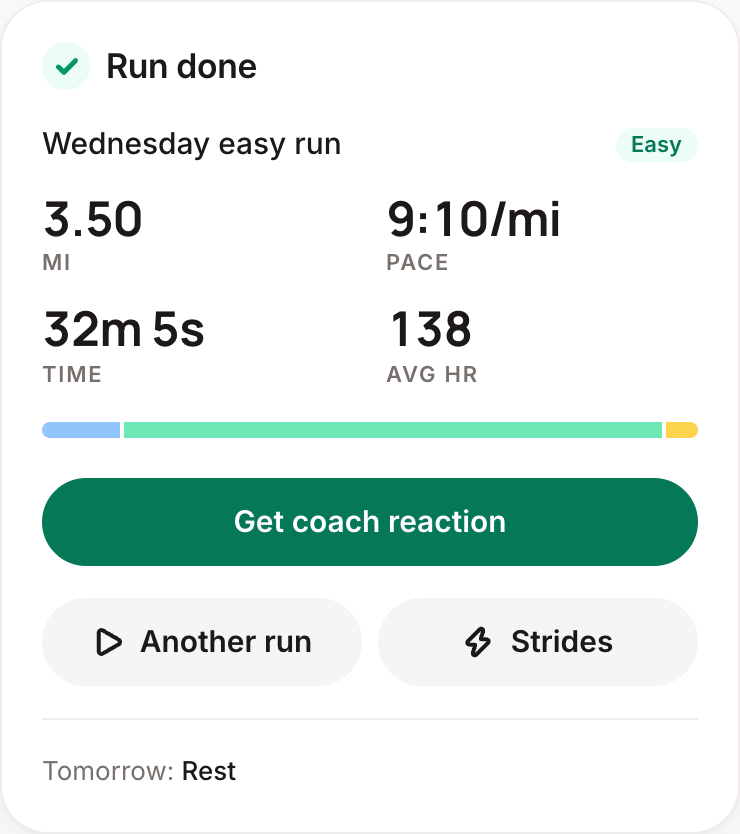
Example: the plan called for 5.0 miles at threshold. After a short night, you chose 3.5 miles easy and finished in 32:05 with an average heart rate of 138. That average describes this run. It cannot tell you how long you spent above a particular zone.
Confirm the pair you wore
Look for the shoe section on the run. A pair can be suggested from the plan or supplied by Strava. Choose Confirm planned pair, confirm a linked Strava pair or pick a different pair from your locker. Where more than one session could match the run, you can link the planned workout explicitly.
Remove a mistaken recording
At the bottom of the activity, Delete run removes it from your Lope history. For an eligible workout that Lope saved to Apple Health, Also delete from Apple Health starts checked. Clear it before deleting if you want to keep the Health copy.
Use Undo or Runs → Deleted runs to restore the Lope entry. A Health copy that the phone has already removed is separate.