Runner’s guide Start here
Get started with Lope
You can explore Lope on the web with an approved account. Use the iPhone beta when you want GPS recording, Apple Health sync or a workout sent to Apple Watch.
Get access
Request early access with an email address you can use again to sign in. Joining the waitlist records your request. When you receive account access, follow the instructions for creating and verifying your account.
An iPhone beta invitation is a separate step. If you receive one, install Apple’s TestFlight on an iPhone with iOS 26 or later, open your invitation there and choose Install. Returning testers can select Update on Lope’s TestFlight page. Apple’s TestFlight instructions.
Set up your running profile
- Enter your name, usual weekly distance, running experience and preferred units. An approximate weekly distance is enough to start.
- Choose your goal. If you are training for a race, add its date and distance. If you are building a habit, you can start without a race.
- Choose how you usually log runs. The setup checklist shows what to connect for that choice. You can return to You → Connected apps later.
Find your first run
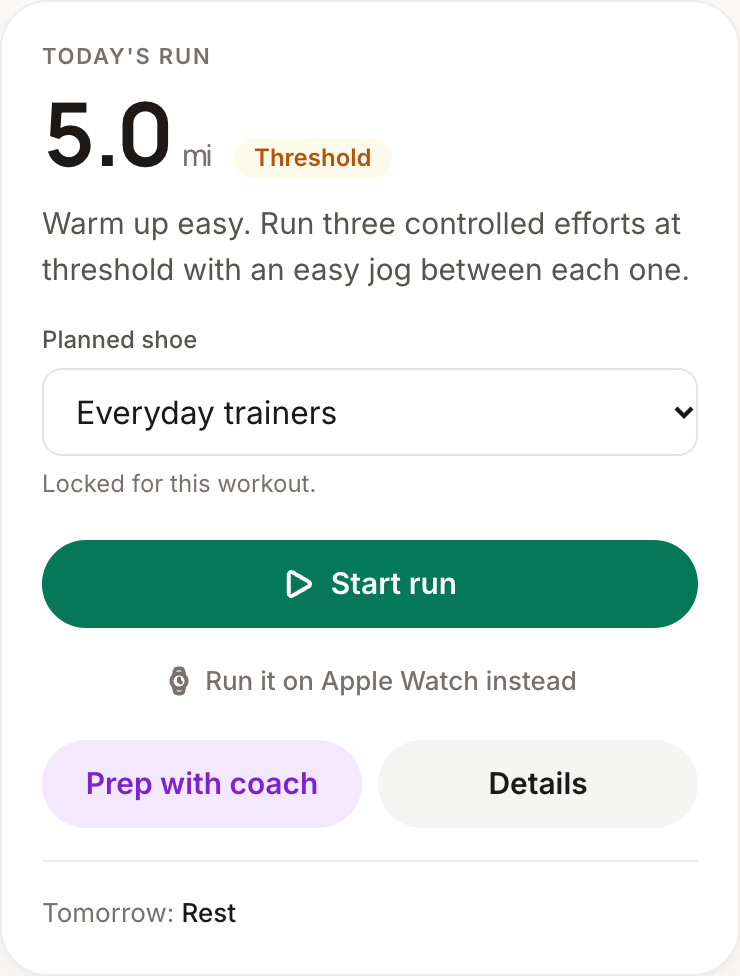
Open Today for the day’s plan. Choose Start run in the iPhone app to record there, or Run it on Apple Watch when the planned workout offers it. If you already record somewhere else, connect Apple Health or Strava and keep using your usual recorder.
When the run appears in your history, open it and check its source, distance and time. If a run is missing, follow the steps for its source before recording or importing it again.